TREE IN DATA STRUCURE
Binary Trees, Binary Search Trees, and K-ary Trees.
Trees are non-linear data structures. They are often used to represent hierarchical data. For a real-world example, a hierarchical company structure uses a tree to organize.
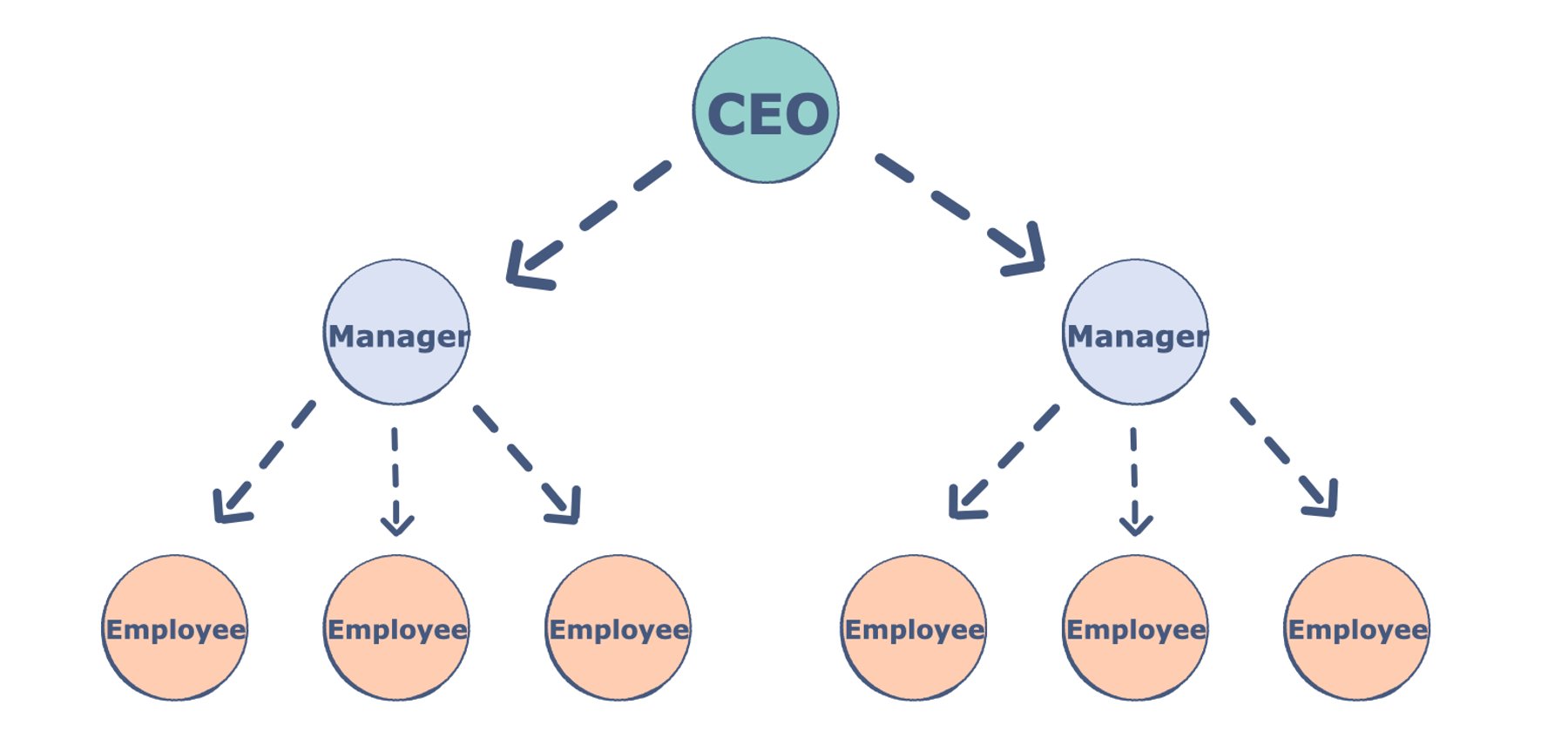
Components of a Tree Trees are a collection of nodes (vertices), and they are linked with edges (pointers), representing the hierarchical connections between the nodes. A node contains data of any type, but all the nodes must be of the same data type. Trees are similar to graphs, but a cycle cannot exist in a tree. What are the different components of a tree?
Root: The root of a tree is a node that has no incoming link (i.e. no parent node). Think of this as a starting point of your tree.
Children: The child of a tree is a node with one incoming link from a node above it (i.e. a parent node). If two children nodes share the same parent, they are called siblings.
Parent: The parent node has an outgoing link connecting it to one or more child nodes.
Leaf: A leaf has a parent node but has no outgoing link to a child node. Think of this as an endpoint of your tree.
Subtree: A subtree is a smaller tree held within a larger tree. The root of that tree can be any node from the bigger tree.
Depth: The depth of a node is the number of edges between that node and the root. Think of this as how many steps there are between your node and the tree’s starting point.
Height: The height of a node is the number of edges in the longest path from a node to a leaf node. Think of this as how many steps there are between your node and the tree’s endpoint. The height of a tree is the height of its root node.
Degree: The degree of a node refers to the number of sub-trees.
Why do we use trees?
- Storage as hierarchy. Storing information that naturally occurs in a hierarchy. File systems on a computer and PDF use tree structures.
- Searching. Storing information that we want to search quickly. Trees are easier to search than a Linked List. Some types of trees (like AVL and Red-Black trees) are designed for fast searching.
- Inheritance. Trees are used for inheritance, XML parser, machine learning, and DNS, amongst many other things.
- Indexing. Advanced types of trees, like B-Trees and B+ Trees, can be used for indexing a database.
- Networking. Trees are ideal for things like social networking and computer chess games.
- Shortest path. A Spanning Tree can be used to find the shortest paths in routers for networking.
Types of Trees
- N-ary trees
- Balanced trees
- Binary trees
- Binary Search Trees
- AVL Trees
- Red-Black Trees
- 2-3 Trees
- 2-3-4 Trees
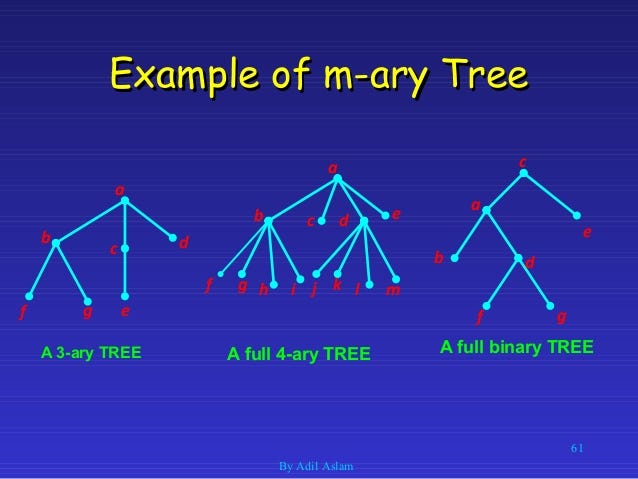
N-ary Tree
In N-ary tree, a node can have child nodes from 0-N. For example, if we have a 2-ary tree (also called a Binary Tree), it will have a maximum of 0-2 child nodes.
Complete Binary Tree
A complete binary tree exists when every level, excluding the last, is filled and all nodes at the last level are as far left as they can be. Here is a visual representation of a complete binary tree.
Binary Search Trees
A Binary Search Tree is a binary tree in which every node has a key and an associated value. This allows for quick lookup and edits (additions or removals), hence the name “search”. A Binary Search Tree has strict conditions based on its node value. It’s important to note that every Binary Search Tree is a binary tree, but not every binary tree is a Binary Search Tree.